In Part 1, using robust secure modern AI development practices, I rebuilt the first two technical chapters of Victor Dibia's Designing Multi-Agent Systems. I mirrored the rebuild across three separate frameworks: AutoGen, Microsoft Agent Framework, and LangGraph. The workflows in Part 1 were simple: a round-robin haiku poet/critic team and a single agent with weather and math tools. Even those basic patterns were enough to reveal API design differences, and every framework handled the workflows competently. The honest outcome was that for those simple patterns, AutoGen was the fastest path and the others were just more verbose ways to accomplish the same thing.
Part 1 ended with a promise: "The framework differences will only widen from here. When the orchestration is no longer best-case round-robin, the choice of framework starts to matter a lot more."
Chapters 5 and 6 deliver on that promise. Chapter 5 introduces the observe-reason-act loop, where a single agent controls a (optionally) headless browser through sequential tool calls, automatically deciding at each step what to do next. Chapter 6 introduces DAG-based workflow patterns with conditional routing and typed state. To exercise those concepts, I designed a new research-draft-review pipeline, where three specialized agents form a directed graph with a conditional revision loop. Neither pattern fits neatly into our previously established round-robin model, forcing new design patterns. This is also where the three agentic framework designs start to meaningfully disagree about how agentic workflows should be built. Let's get into it!
Chapter 5: The Computer Use Agent
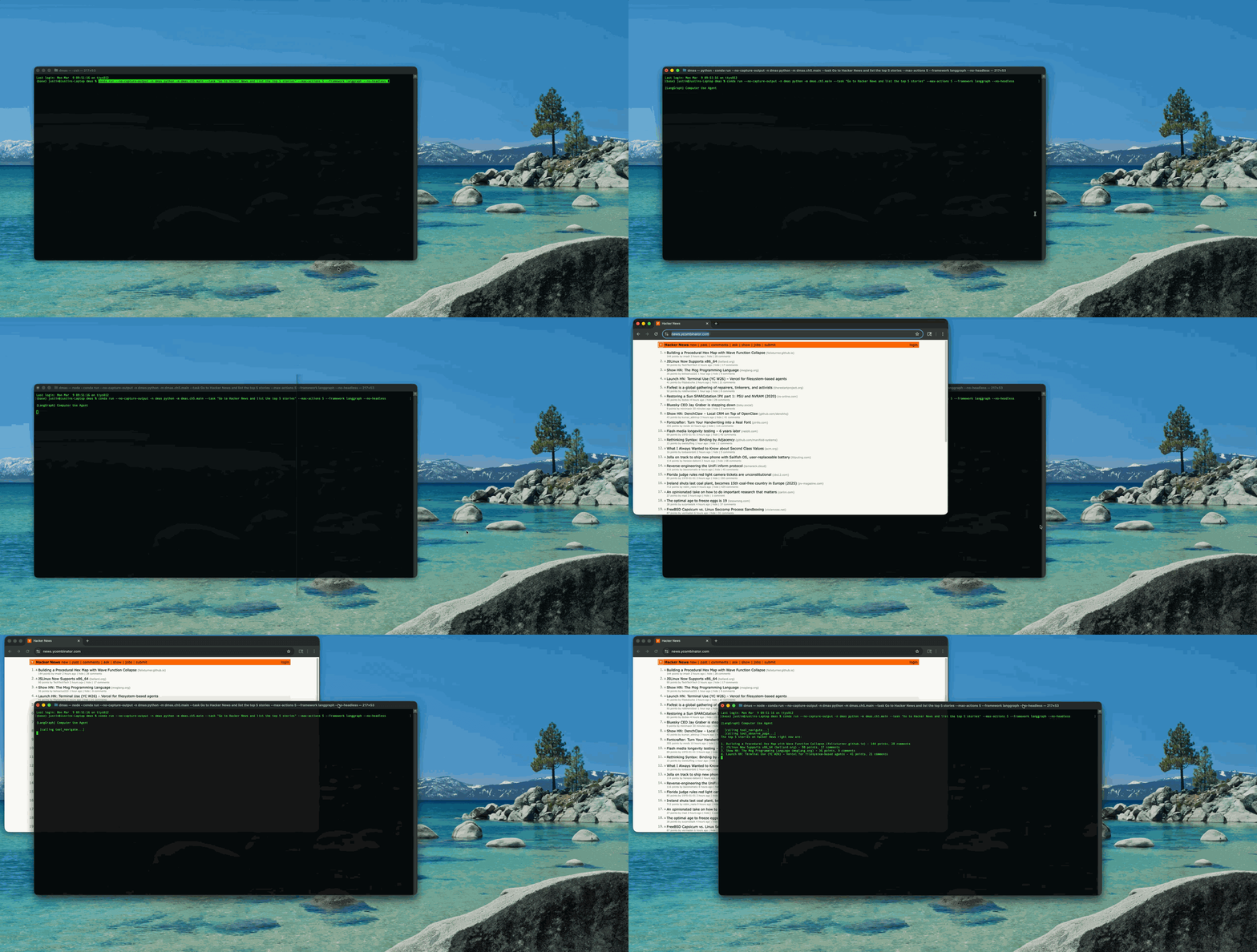
Let's start with a basic, yet powerful concept: give an agent access to a browser and ask it to do something like: "Go to Hacker News and list the top 5 stories with their titles and ranking." An agent needs to navigate to the page, observe what is there, extract and organize the information, perform some judgment action(s), rank according to the judgement, and then report back. No single tool call could be sufficient. The agent must employ a feedback loop: observe the page state, reason about what action to take, execute that action, then observe again.
The dmas repo provides a shared tools.py script, which implements six browser actions backed by Playwright, Microsoft's open-source library for programmatic browser control: navigate, click, type_text, scroll, observe_page, and screenshot. Each takes a BrowserSession as its first argument. The session itself is an async context manager that uses Playwright to launch a headless Chromium instance and tears it down on exit:
@dataclass
class BrowserSession:
    headless: bool = True

    async def __aenter__(self) -> BrowserSession:
        try:
            from playwright.async_api import async_playwright
        except ImportError:
            raise ImportError(
                "Playwright is not installed. Install with:\n"
                "  pip install 'dmas[computer-use]'\n"
                "  playwright install chromium"
            )
        self._playwright = await async_playwright().start()
        self._browser = await self._playwright.chromium.launch(
            headless=self.headless
        )
        self.page = await self._browser.new_page(
            viewport={"width": 1280, "height": 720}
        )
        return self
The observe_page tool is the most meaningful to this workflow. It returns the page title, URL, truncated body text (3000 chars), and up to 30 interactive elements with their tag names, IDs, classes, types, and text content. This gives the agent a structured view of the page without needing to interpret raw HTML or process screenshots. The agent can see things like a.storylink -> https://example.com "Show HN: My Project" and decide to click that specific selector.
Basic Guardrails: Runaways and Safe Browsing
An agent with browser access and no guardrails will loop indefinitely. It will navigate, observe, click, observe, scroll, observe, scroll again. Each iteration costs an API call and consumes time. A naive implementation could rack up hundreds of LLM calls on a single task.
The solution is an action counter with a hard limit. Each backend creates tool closures that bind the browser session and increment a shared counter:
action_count = 0

def _check_limit() -> None:
    nonlocal action_count
    action_count += 1
    if action_count > max_actions:
        raise RuntimeError(
            f"Action limit reached ({max_actions}). "
            "Stopping to prevent runaway execution."
        )

async def tool_navigate(url: str) -> str:
    """Navigate the browser to a URL."""
    _check_limit()
    return await navigate(session, url)
The observe_page and screenshot tools deliberately do not count against the limit. Observing the page is free; only actions that change state (navigate, click, type, scroll) are counted. This means the agent can observe as many times as it needs to reason about the page without burning through its action budget.
The action counter handles runaway loops, but there is a second safety concern: where the agent navigates. A prompt-injected instruction could steer the browser to file:///, javascript:, or internal network targets. The navigate() function validates URLs before passing them to Playwright, allowing only http/https schemes and blocking localhost and loopback addresses. Blocked requests return a refusal string through the same interface as any other tool error, so the agent sees the rejection and can adjust.
Side by Side: Browser Agent Setup
The shared tools and safety infrastructure are framework-agnostic. But each framework has its own way of wiring those tools into an agent. Here's how each one creates the browser agent and attaches the same six Playwright tools.
tools = [tool_navigate, tool_click,
         tool_type_text, tool_scroll,
         tool_observe_page, tool_screenshot]

agent = AssistantAgent(
    name="browser_agent",
    system_message=COMPUTER_USE_...,
    model_client=model_client,
    tools=tools,
    reflect_on_tool_use=True,
    max_tool_iterations=max_actions,
)
Same pattern as Part 1: plain async functions, no decorators, passed directly. max_tool_iterations is new and critical — more on that in the next section.
@tool(description="Navigate to a URL")
async def tool_navigate(url: str) -> str:
    _check_limit()
    return await navigate(session, url)

# ... same pattern for all six tools ...

agent = Agent(
    client,
    instructions=COMPUTER_USE_...,
    name="browser_agent",
    tools=tools,
)
agent_session = agent.create_session()
stream = agent.run(
    full_task, stream=True,
    session=agent_session,
)
@tool(description=...) decorator, same as Part 1. The addition is explicit agent_session — tracks conversation state across tool calls.
@tool
async def tool_navigate(url: str) -> str:
    """Navigate the browser to a URL."""
    _check_limit()
    return await navigate(session, url)

# ... same pattern for all six tools ...

agent = create_react_agent(
    llm, tools,
    prompt=COMPUTER_USE_...,
)
Same create_react_agent from Part 1. @tool uses the docstring as description. No session management — runs until the LLM stops or the action counter raises.
| AutoGen | Microsoft Agent Framework | LangGraph | |
|---|---|---|---|
| Tool registration | Plain functions in list | @tool(description=...) | @tool + docstring |
| Agent class | AssistantAgent | Agent | create_react_agent |
| System prompt | system_message= | instructions= | prompt= |
| Action limit | max_tool_iterations + action counter | Action counter only | Action counter only |
| Session management | Implicit | Explicit create_session() | Implicit |
The takeaway: AutoGen is still the most concise for wiring, but max_tool_iterations is a hidden requirement that will silently break the agent if you leave it at the default. Agent Framework gives you explicit session control. LangGraph uses the same ReAct pattern from Part 1, which means zero new concepts for the browser agent.
The max_tool_iterations Gotcha
This is the most important implementation lesson from Chapter 5, and it only affects AutoGen.
When I first ran the AutoGen backend, the agent navigated to Hacker News, called observe_page, and immediately exited back to the command prompt. One tool call, done. The task was clearly not complete, but the agent just stopped.
The root cause: AutoGen's AssistantAgent has a parameter called max_tool_iterations that defaults to 1. With reflect_on_tool_use=True enabled (which makes the agent summarize tool results in natural language), each "iteration" consumes two model calls: one for the tool call and one for the reflection. After one iteration, the agent stops, regardless of whether the task is finished.
Chapter 4's weather agent gets away with this because a weather query completes in 1-2 tool calls. Chapter 5's browser automation needs many sequential calls: navigate, observe, click, observe, scroll, observe. The fix is one line:
agent = AssistantAgent(
    ...,
    max_tool_iterations=max_actions,
)
Microsoft Agent Framework and LangGraph do not have this problem. Their agents loop naturally until they decide the task is complete or an external limit (like the action counter) stops them. The fact that AutoGen requires an explicit iteration limit is a design choice that optimizes for the common case (simple tool use) at the cost of surprising you in the complex case (multi-step automation).
Chapter 6: The Workflow Pipeline
The book's Chapter 6 teaches DAG-based workflow patterns: sequential steps, conditional branching, and typed state flowing between nodes. To put those patterns to work, I designed a three-agent pipeline (researcher, writer, reviewer) connected in a directed graph with a conditional revision loop.
The pipeline works like this:
- Researcher receives a topic and produces structured research notes with headings, bullet points, statistics, and sources.
- Writer receives the research notes and produces a report with introduction, body sections, and conclusion.
- Reviewer reads the report and produces a score (1-10) plus specific feedback. If the score is 8 or above, the report is approved. If below 8, the draft goes back to the writer with the reviewer's feedback.
- The revision loop repeats up to
--max-revisionstimes.
This is fundamentally different from Chapter 1's round-robin in three ways. First, the agents have asymmetric roles: the researcher never sees the draft, the writer never reviews, and the reviewer never writes. Second, the flow has conditional branching: the reviewer's score determines whether the pipeline terminates or loops. Third, typed state flows between nodes: research notes, the draft, review feedback, and the score are all distinct pieces of data passed through the pipeline.
Score Parsing
All three backends share a _parse_score helper:
def _parse_score(text: str) -> int:
    match = re.search(r"SCORE:\s*(\d+)", text)
    return int(match.group(1)) if match else 0
Returning 0 on failure is a deliberate safe default. A missing score triggers revision rather than falsely approving a draft. The reviewer's system prompt requires SCORE: N as the first line of output, and in practice the model complies reliably. But when it does not, failing toward revision is the right behavior.
The Chapter 6 pipeline in action. The researcher gathers notes, the writer and reviewer iterate on the draft, then the final report.
Side by Side: Pipeline Orchestration
The three-agent pipeline (researcher → writer → reviewer) with the conditional revision loop is the first pattern where the frameworks genuinely disagree about how orchestration should work. In Part 1, LangGraph was the most verbose framework for every comparison. Here, we see a completely new (efficient) LangGraph paradigm at work.
for revision in range(max_revisions + 1):
    review_text = await _stream_and_collect(
        reviewer,
        f"Review this report:\n\n{draft}",
    )
    score = _parse_score(review_text)

    if score >= 8:
        break

    if revision < max_revisions:
        draft = await _stream_and_collect(
            writer,
            f"Revise based on feedback.\n\n"
            f"Draft:\n{draft}\n\n"
            f"Feedback:\n{review_text}",
        )
A Python for loop with if/break. The graph is implicit in the control flow. Simple and readable, but the pipeline topology is not visible from the code structure.
for revision in range(max_revisions + 1):
    # Fresh session each review to avoid bias
    reviewer_session = reviewer.create_session()
    review_text = await _stream_and_collect(
        reviewer,
        f"Review this report:\n\n{draft}",
        reviewer_session,
    )
    score = _parse_score(review_text)

    if score >= 8:
        break

    if revision < max_revisions:
        # Reuse writer session for history
        draft = await _stream_and_collect(
            writer,
            f"Revise based on feedback.\n\n"
            f"Draft:\n{draft}\n\n"
            f"Feedback:\n{review_text}",
            writer_session,
        )
Same imperative loop, but with an important nuance: the reviewer gets a fresh create_session() each round to avoid bias, while the writer reuses its session to accumulate revision context.
graph = StateGraph(PipelineState)
graph.add_node(
    "researcher", researcher_node)
graph.add_node(
    "writer", writer_node)
graph.add_node(
    "reviewer", reviewer_node)

graph.set_entry_point("researcher")
graph.add_edge("researcher", "writer")
graph.add_edge("writer", "reviewer")
graph.add_conditional_edges(
    "reviewer", should_revise,
    {"revise": "writer", "end": END},
)
app = graph.compile()
The entire pipeline is a graph with nodes and edges. should_revise is a pure routing function. The revision loop is a conditional edge, not a for loop. The framework handles iteration.
| AutoGen | Microsoft Agent Framework | LangGraph | |
|---|---|---|---|
| Orchestration model | Imperative for loop | Imperative for loop | Declarative StateGraph |
| Revision loop | if/break | if/break | Conditional edge |
| Conditional branch | Python if score >= 8 | Python if score >= 8 | should_revise routing function |
| Revision counter | Loop variable | Loop variable | State field (revision_count) |
| Where it shines | Quick to write | Session control per agent | Pipeline topology is visible |
The takeaway: This is where LangGraph's verbosity pays off. AutoGen and Agent Framework use imperative loops that work but do not compose — if you wanted to add a fact-checker between the writer and reviewer, you would need to restructure the loop. With LangGraph, you would add a node and two edges. For this pattern, LangGraph produces cleaner code than the alternatives.
Side by Side: State Management
The pipeline requires passing structured data between agents: research notes flow from researcher to writer, the draft flows from writer to reviewer, feedback flows from reviewer back to writer. Each framework handles this differently.
result = await Console(
    researcher.run_stream(
        task=research_task,
    )
)
research_notes = (
    result.messages[-1].content
)

writer_task = (
    f"Write a report based on these "
    f"research notes:\n\n"
    f"{research_notes}"
)
draft = await _stream_and_collect(
    writer, writer_task,
)
Capture return values from result.messages[-1].content and pass as string arguments. State is managed entirely in Python variables. Simple, but orchestration is your responsibility.
# Writer session reused —
# accumulates revision context
writer_session = writer.create_session()
draft = await _stream_and_collect(
    writer, writer_task,
    writer_session,
)

# Reviewer session fresh each round —
# avoids bias from prior reviews
reviewer_session = reviewer.create_session()
review_text = await _stream_and_collect(
    reviewer, reviewer_task,
    reviewer_session,
)
Same string passing, but with a key difference: the writer's session is reused across revisions to accumulate context, while the reviewer gets a fresh session each round to avoid bias.
class PipelineState(TypedDict):
    topic: str
    research_notes: str
    draft: str
    review_feedback: str
    review_score: int
    revision_count: int
    max_revisions: int

# Each node receives full state,
# returns a partial update.
# LangGraph merges automatically.
await app.ainvoke(initial_state)
Custom TypedDict replaces MessagesState from Part 1. Streaming happens inside each node via llm.astream(), not through the graph. Structured data between nodes, not messages.
| AutoGen | Microsoft Agent Framework | LangGraph | |
|---|---|---|---|
| State representation | Python variables | Python variables + sessions | Custom TypedDict |
| State threading | Manual string passing | Manual string passing | Automatic merge |
| Session management | None | Explicit per-agent sessions | Implicit (graph state) |
| Reviewer bias mitigation | Not built-in | Fresh session each round | Not built-in |
| Type safety | None | None | TypedDict fields |
The takeaway: AutoGen is the simplest: capture strings, pass strings. Agent Framework's session pattern is the most deliberate design choice — reuse vs. refresh directly affects how agents behave across revision rounds. LangGraph is the most structured: a custom TypedDict replaces MessagesState from Part 1, and streaming happens inside each node via llm.astream() rather than through the graph.
The Console Verbosity Problem
Both chapters exposed the same issue with AutoGen's Console() helper that was so useful in Part 1.
In Chapter 5, Console() dumps the full tool result for every call. When observe_page returns 3000 characters of page text plus 30 interactive elements, that entire block gets printed to the terminal. The terminal noise is the obvious problem, but the deeper cost is context bloat: every verbose tool result gets fed back into the model's context window on the next turn. That means more tokens consumed per call and higher latency as the conversation history grows, whether you are hitting a cloud API or running locally.
In Chapter 6, the problem is different but equally noisy. Console() echoes the full TextMessage (user) blocks that get passed between agents. When the researcher produces 2000 characters of notes, those notes appear once when the researcher generates them and again when they are sent as input to the writer. The draft appears once from the writer and again as input to the reviewer. Every piece of text shows up twice.
The solution for both chapters is a --silent flag that replaces Console() with manual stream iteration. In silent mode, the backend only prints [calling tool_name...] indicators and the agent's generated text, matching the cleaner output of Microsoft Agent Framework and LangGraph:
async def _stream_and_collect(agent, task):
    collected = []
    async for msg in agent.run_stream(task=task):
        if isinstance(msg, ModelClientStreamingChunkEvent):
            print(msg.content, end="", flush=True)
            collected.append(msg.content)
    print()
    return "".join(collected)
The --silent flag defaults to off because the verbose Console output is genuinely useful when you are debugging agent behavior. But for anything user-facing, you want the clean version.
New Gotchas
Building Chapters 5 and 6 surfaced two new gotchas beyond what Part 1 covered:
1. AutoGen max_tool_iterations defaults to 1. Covered above, but worth listing here because it is the single most impactful default in AutoGen for anyone building tool-heavy agents. The default is fine for simple single-tool agents (like the weather agent in Chapter 4). It silently breaks any multi-step workflow (like browser automation in Chapter 5). Always set it explicitly.
2. AutoGen Console verbosity scales poorly. Console() is brilliant for Chapter 1 (short messages, no tool results to display) and acceptable for Chapter 4 (small tool results). It becomes counterproductive when tool results are large (Chapter 5's observe_page) or when agents pass substantial text between stages (Chapter 6's research notes and drafts). The --silent pattern with _stream_and_collect() is the scalable alternative.
3. First-draft approval bias. With gpt-4.1-mini, a relatively small and moderately capable model, the reviewer consistently scores initial drafts 8 or above (typically 9/10), meaning the revision loop rarely triggers. To actually exercise the revision path, you would need to adjust the approval threshold, use a stricter reviewer prompt, or use a different model. With --max-revisions 0, you can bypass the reviewer entirely to see just the research and writing stages.
Updated Recommendations
Part 1's "When to Pick Which" section was based on simple patterns where AutoGen had a clear advantage. After Chapters 5 and 6, the ground shifts a bit.
AutoGen is still the fastest path for simple patterns and prototyping. But it accumulates configuration requirements as complexity grows. max_tool_iterations in Chapter 5, --silent in both chapters. The framework's convenience features (Console, default parameters) are optimized for the simple case and need overriding in the complex case.
Microsoft Agent Framework maintains its position as the "most control, most boilerplate" option. The session reuse pattern in Chapter 6 (writer accumulates context, reviewer starts fresh) is a genuinely useful capability that the other frameworks do not surface as naturally. The framework continues to work but also continues to require get_final_response() after every stream.
LangGraph finally justifies its verbosity in Chapter 6. The DAG pipeline is the first pattern where LangGraph's graph-based architecture produces cleaner, more declarative code than the alternatives. The PipelineState TypedDict with conditional edges is a fundamentally better way to express a multi-agent pipeline with branching logic than a Python for loop with if/break. If your workflow has conditional routing, LangGraph is no longer the verbose option. It is the natural one.
The code for all implementations: dmas on GitHub.