There comes a moment when reading any technical book where you stop nodding along and start wrestling with reality. For me, working through Victor Dibia's excellent text Designing Multi-Agent Systems, that moment came around Chapter 4. The book is great! The concepts make sense. The patterns are clear. But when I tried to actually wire the demo code into my own setup, and then extend it past the examples, I kept (figuratively) running into walls. These roadblocks had nothing to do with agentic systems, and everything to do with the distance between teaching code and production systems.
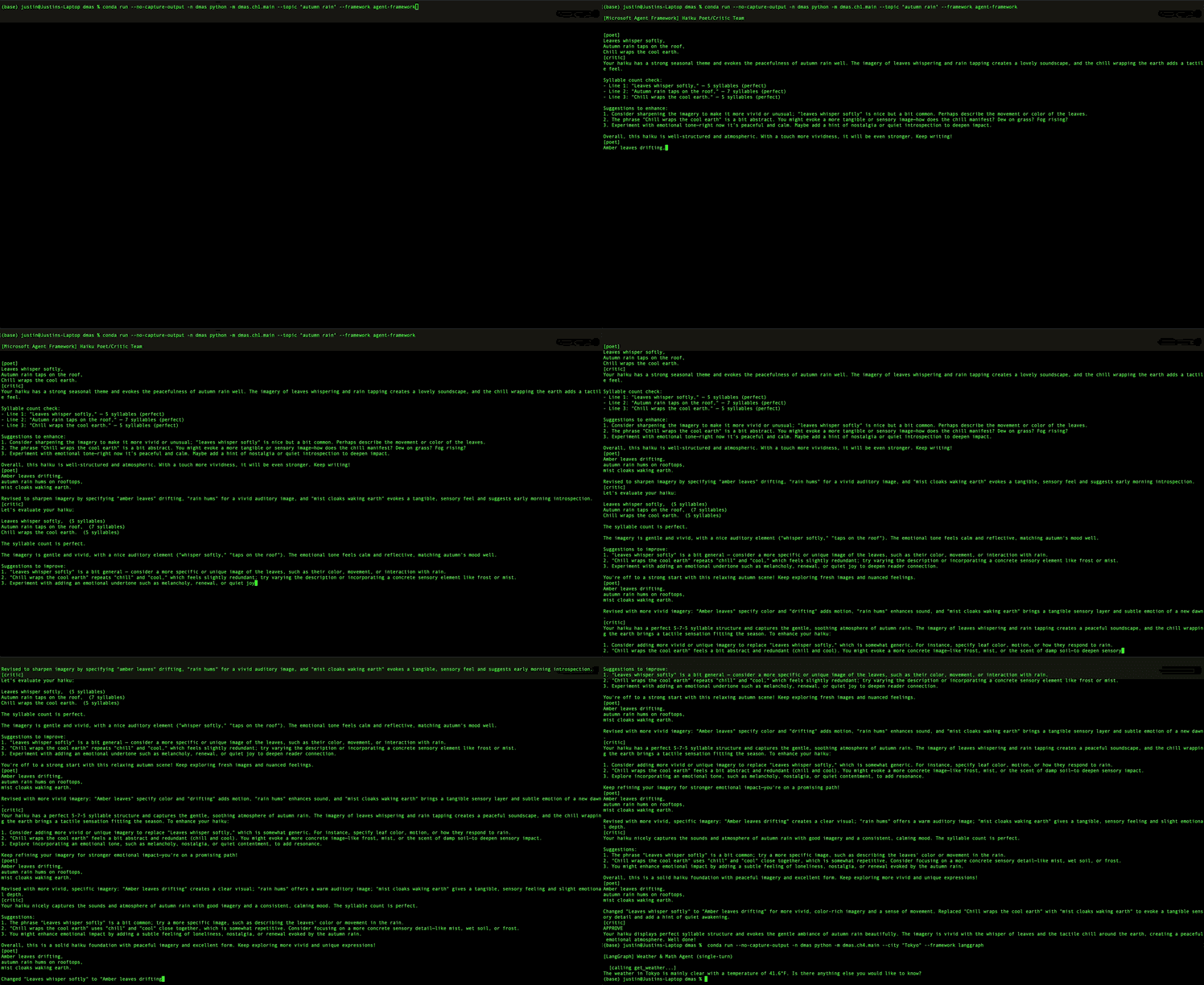
So, like any self-respecting ML/AI engineer in 2026, I reimplemented the first couple of technical chapters (Chapter 1: haiku poet/critic + Chapter 4: weather and math agent) using Microsoft's AutoGen framework in addition to Victor's educational PicoAgents library. Then, I kept going and ported the same workflows to Microsoft's enterprise-ready Agent Framework and finally LangGraph. Same prompts, same tool implementations, (hopefully) same behavior.
The result is a single codebase where a --framework CLI argument switches between backends at runtime. The process of building surfaced several lessons, not just about production readiness, but about the real engineering tradeoffs any developer faces when choosing an agentic framework.
Celebrating Picoagents
I want to be clear upfront: Designing Multi-Agent Systems is an excellent book, and the PicoAgents library is a genuinely clever teaching tool. Victor made the right call building a bespoke framework for instruction. When learning how orchestration works, you don't want six layers of abstraction between the student and the message loop. PicoAgents keeps everything visible. Users can see the round-robin turn-taking, the termination logic, the tool dispatch. Nothing hides behind convenience methods.
Here is the complete Chapter 1 example, a poet/critic loop in PicoAgents:
client = OpenAIChatCompletionClient(
    model='gpt-4.1-mini',
    api_key=os.getenv('OPENAI_API_KEY')
)

poet = Agent(name="poet", description='Haiku poet.',
             instructions='You are a haiku poet.', model_client=client)
critic = Agent(name='critic', description='Poetry critic.',
               instructions="You are a haiku critic...", model_client=client)

termination = (MaxMessageTermination(max_messages=12) |
               TextMentionTermination(text="APPROVED"))
orchestrator = RoundRobinOrchestrator(
    agents=[poet, critic], termination=termination)

serve(entities=[orchestrator], port=8070, auto_open=True)
That is about as readable as agent orchestration gets. You could hand this to someone who has never seen an agentic framework and they would understand it in like thirty seconds. Round-robin means the agents take turns. Termination means we stop when the critic says "APPROVED" or after 12 messages. The serve call launches a web UI where you can watch the conversation happen in real time.
The patterns Victor teaches are also real and commonly implemented in practice. Round-robin orchestration, compound termination conditions, tool calling, streaming output. These are not just toy concepts. They map directly onto the same abstractions in production-grade libraries like AutoGen, LangGraph, CrewAI, and every other serious framework. The pedagogical choice to build them from scratch in this case, is the right one. You learn more about how electric motors work by actually building one than by driving an EV.
The Picoagents web UI also deserves special mention. Watching agents take turns in a visual interface makes the orchestration concepts concrete in a way that terminal output does not. For a teaching tool, that is a significant advantage.
The Gap: Agentic Patterns for Production
None of what follows is a criticism of Victor's work. The book deliberately stubs external dependencies, and that is the right call for teaching. The weather tool, for example, returns a hardcoded string:
def get_weather(location: str) -> str:
    return f"The weather in {location} is sunny, 72°F"
No HTTP calls, no API keys, no network failures to debug. This keeps the focus on orchestration patterns, which is the actual subject of the chapter. The gap shows up when you take those patterns and start prototyping real implementations. That is where I ran into problems.
Start with the small things. While prototyping my real implementation, I started with a random city picker like this:
idx = random.randint(0, 49)
return rand_cities[idx]
This works, but random.choice(rand_cities) does the same thing without hardcoding the list length. If someone adds a city to this list and then forgets to update the index bound, it silently never picks the last entries. Also the API key comes from os.getenv('OPENAI_API_KEY') with no validation, so if it is missing, you get an opaque error three function calls deep instead of a clear message at startup.
Small things, but they accumulate.
The robustness problems I ran into are more interesting. When I went to replace the book's stub with a real API call, my first prototype looked like this:
def get_weather(location: str) -> str:
    city = location.split(",")[0].strip()
    url = f"https://wttr.in/{city}?format=j1"
    response = requests.get(url, timeout=10)
    response.raise_for_status()
    data = response.json()
    current = data["current_condition"][0]
    return f"The weather in {location} is {current['weatherDesc'][0]['value']}, {current['temp_F']}"
No try/except. It worked in an isolated test, once. But, if the network is down, if wttr.in returns a 500, if the JSON structure changes, the tool crashes. And when a tool crashes in an agent pipeline, the agent cannot reason about the failure. It either terminates, or worse the error gets carried forward throughout the remainder of the toolchain. The difference between a tool that crashes and a tool that returns "Could not fetch weather for Tokyo: ConnectionError" is the difference between a dead agent and an agent that can say "I was not able to check the weather, but I can try again."
While prototyping, I also used TextMentionTermination(text='weather') for the weather agent's termination condition. This has a subtle problem: it terminates the conversation when the word "weather" appears in any message, including the user's original query. "What's the weather in Austin?" could end the conversation before the agent even responds, depending on how the framework processes the task message. The book avoids this entirely by using semantic keywords like "APPROVED" and "TERMINATE" that would likely not appear in a normal user's input.
Architecturally, production readiness requires a different design paradigm. In Picoagents, everything lives in a single script. Production ready code would require a package structure, separation of concerns, and a way to test the weather tool independently of the agent. We would also want memory persistence across turns. Once you run the app under conda run (which pipes stdout), streaming output buffers silently, so the user would see nothing until the entire conversation finishes. For a non-technical, non demonstration application of streaming, that is a problem.
The Reimplementation: Production Patterns
The reimplementation of the Chapter 1 and 4 example workflows comes in at 386 lines in a proper src layout with a pyproject.toml, CLI entry points, and clean module boundaries. Here is what changed and why:
Config with validation. Instead of bare os.getenv, a factory function loads our API keys and fails fast:
def get_model_client(model: str = "gpt-4.1-mini") -> OpenAIChatCompletionClient:
    load_dotenv()
    api_key = os.getenv("OPENAI_API_KEY")
    if not api_key:
        raise RuntimeError(
            "OPENAI_API_KEY is not set. "
            "Create a .env file (see .env.example) or export the variable."
        )
    return OpenAIChatCompletionClient(model=model, api_key=api_key)
get_model_client() is called and either returns a working client or an immediate, readable error. No guessing, no need to debug three layers down.
Tool robustness. The book's hardcoded stub served its purpose for teaching. The next step is building a production-grade tool with a real API call that handles failures gracefully:
async def get_weather(city: str) -> str:
    query = city.split(",")[0].strip()
    url = f"https://wttr.in/{query}?format=j1"
    try:
        response = requests.get(url, timeout=10)
        response.raise_for_status()
        data = response.json()
        current = data["current_condition"][0]
        return f"The weather in {city} is {current['weatherDesc'][0]['value']}, {current['temp_F']}°F"
    except requests.RequestException as exc:
        return f"Could not fetch weather for {city}: {exc}"
The math tool takes the same approach, using eval with a restricted __builtins__ dict so it only has access to math functions, abs, and round. No os, no sys, no file access. If the expression is malformed, you get an error string, not a stack trace.
Composition. Agents are built through factory functions with explicit dependencies:
def create_weather_agent(
    model_client: OpenAIChatCompletionClient,
    memory: ListMemory | None = None,
) -> AssistantAgent:
    kwargs = dict(
        name="assistant",
        model_client=model_client,
        tools=[get_weather, calculate],
        reflect_on_tool_use=True,
        model_client_stream=True,
    )
    if memory is not None:
        kwargs["memory"] = [memory]
    return AssistantAgent(**kwargs)
In the reimplementation, tools are systematically imported, not defined inline. Memory is now optional and injected. The model client comes from outside. You can test this function, swap components, or add new tools without touching the agent definition.
Streaming robustness. The conda run buffering problem gets a two-line fix at the top of each entry point:
os.environ["PYTHONUNBUFFERED"] = "1"
if not sys.stdout.isatty():
    sys.stdout.reconfigure(line_buffering=True)
This is the kind of thing you would only think of after watching streaming output vanish into a buffer for twenty minutes.
Memory. The multi-turn demo creates a ListMemory, injects it into the agent, and runs three sequential turns. The agent remembers that "Alice lives in Melbourne" from turn 1 when asked about weather "where I live" in turn 2. After the conversation, the memory contents are printed so you can see exactly what was retained. This is a small feature, but it demonstrates something PicoAgents does not cover at this stage in the book: state that persists across interaction boundaries.
Beyond AutoGen: Three Frameworks, One Codebase
Once the AutoGen reimplementation was working, I asked the obvious follow-up question: what happens if you want build the same workflows in other frameworks?
This is not just a theoretical exercise. It is a decision that real teams face all the time. Maybe an organization is already invested in LangChain and wants to use LangGraph. Maybe a new project has requirements that favor a different orchestration model. Maybe a dev team just wants to understand what they are giving up or gaining before they commit. The only (real) way to know is to prototype the same thing three ways and see where each framework shines and where it gets awkward.
So, I ported both workflows (the poet/critic team from Chapter 1 and the tool-using weather agent from Chapter 4) to Microsoft's Microsoft Agent Framework and LangGraph. The three implementations share everything that can be shared: system prompts live in a single prompts.py, tool logic lives in a single tools.py, and config validation lives in a single config.py. Each backend creates its own model client and wires things up according to its framework's conventions. A --framework CLI flag selects which backend to run:
# Same workflow, three frameworks
python -m dmas.ch1.main --topic "the ocean at midnight"
python -m dmas.ch1.main --topic "the ocean at midnight" --framework agent-framework
python -m dmas.ch1.main --topic "the ocean at midnight" --framework langgraph
This shared infrastructure is what makes the comparisons honest. When the prompts and tools are identical, the differences you observe are purely framework-level. Let's walk through them.
Side by Side: Multi-Agent Orchestration
The poet/critic workflow is the simplest possible multi-agent system: two agents take turns until one says "APPROVE" or 12 messages have been exchanged. The behavior is trivial. The differences are purely about how each framework models collaboration.
poet = AssistantAgent(
    name="poet",
    system_message=POET_SYSTEM_MESSAGE,
    model_client=model_client,
)
critic = AssistantAgent(
    name="critic",
    system_message=CRITIC_SYSTEM_MESSAGE,
    model_client=model_client,
)

termination = (MaxMessageTermination(12)
    | TextMentionTermination("APPROVE"))

team = RoundRobinGroupChat(
    participants=[poet, critic],
    termination_condition=termination,
)
await Console(team.run_stream(
    task=f"Write a haiku about: {topic}"
))
Built-in RoundRobinGroupChat + composable termination with | operators. Console() handles all streaming UX. 5 lines of setup, 1 to run.
def _round_robin_selector(state):
    participants = list(
        state.participants.keys()
    )
    idx = state.current_round
    return participants[idx % len(participants)]

def _termination_condition(messages):
    if len(messages) >= 12:
        return True
    return any("APPROVE" in m.text
               for m in messages)

builder = GroupChatBuilder(
    participants=[poet, critic],
    selection_func=_round_robin_selector,
    termination_condition=_termination_condition,
    max_rounds=12,
    intermediate_outputs=True,
)
workflow = builder.build()
stream = workflow.run(task, stream=True)
You implement selection + termination yourself. GroupChatBuilder compiles a validated workflow graph. More verbose, but custom selection logic (priority-based, LLM-directed) slots in with zero refactoring.
async def poet_node(state):
    response = await llm.ainvoke(
        [SystemMessage(
            content=POET_SYSTEM_MESSAGE
        )] + state["messages"]
    )
    return {"messages": [response]}

graph = StateGraph(MessagesState)
graph.add_node("poet", poet_node)
graph.add_node("critic", critic_node)
graph.set_entry_point("poet")
graph.add_edge("poet", "critic")
graph.add_conditional_edges(
    "critic",
    should_continue,
    {"poet": "poet", END: END},
)
app = graph.compile()
Agents are graph nodes (functions that take state, call LLM, return state). Flow defined by edges. Most flexible: supports branching, parallel execution, human-in-the-loop. More ceremony for simple round-robin.
Streaming follows the same pattern. AutoGen's Console() handles agent headers, tool calls, and formatting automatically. Microsoft Agent Framework requires iterating WorkflowEvent objects and checking types. LangGraph streams via astream(stream_mode="messages") with manual node tracking through metadata.
| AutoGen | Microsoft Agent Framework | LangGraph | |
|---|---|---|---|
| Lines of code | 39 | 57 | 56 |
| Orchestration | Built-in RoundRobinGroupChat | Custom selector + builder | Explicit state graph |
| Termination | Composable operators (|) | Custom function | Conditional edges |
| Streaming UI | Console() (automatic) | Manual event loop | Manual message loop |
| Best for | Fast prototyping, common patterns | Custom selection logic | Complex branching workflows |
The takeaway: AutoGen optimizes for common patterns. Microsoft Agent Framework optimizes for control. LangGraph optimizes for flexibility. For round-robin, AutoGen wins on conciseness. But if your next project needs an LLM to decide which agent speaks next, or needs parallel agent execution with a merge step, the other two give you the primitives to build that without fighting the abstraction.
Side by Side: Tool Declaration and Wrapping
Tool use is where framework design philosophies diverge most clearly. The shared tools.py contains the actual logic. Each backend wraps these functions according to its conventions. This comparison shows how each framework connects the same two tools (get_weather and calculate) to an agent.
agent = AssistantAgent(
    name="assistant",
    tools=[get_weather, calculate],
    reflect_on_tool_use=True,
)

# That's it. Plain async functions.
# AutoGen introspects signatures
# and docstrings to generate
# tool schemas for the LLM.
Pass functions directly. No decorators, no wrappers, no registration. reflect_on_tool_use=True makes the agent summarize tool results in natural language.
from agent_framework import tool

@tool(description="Get current weather")
async def af_get_weather(city: str):
    return await tool_fns.get_weather(city)

@tool(description="Evaluate math expr")
async def af_calculate(expression: str):
    return await tool_fns.calculate(expression)

agent = Agent(
    client,
    tools=[af_get_weather, af_calculate],
)
@tool decorator with explicit description. Thin wrapper functions delegate to shared tools.py. More control over tool metadata, but boilerplate per tool.
from langchain_core.tools import tool

@tool
async def lg_get_weather(city: str):
    """Get current weather for a city."""
    return await tool_fns.get_weather(city)

@tool
async def lg_calculate(expression: str):
    """Evaluate a mathematical expression."""
    return await tool_fns.calculate(expression)

agent = create_react_agent(
    llm, [lg_get_weather, lg_calculate],
)
@tool comes from langchain_core because LangGraph is built on the LangChain ecosystem. Message types, tool decorators, and LLM wrappers are langchain_core/langchain_openai. Graph constructs (StateGraph, END) come from langgraph.
| AutoGen | Microsoft Agent Framework | LangGraph | |
|---|---|---|---|
| Declaration | Plain async function | @tool(description=...) | @tool + docstring |
| Schema source | Auto from signature + docstring | From decorator + signature | From decorator + docstring |
| Wrapper needed? | No | Yes (thin) | Yes (thin) |
| Reflection | Built-in reflect_on_tool_use | Manual | Manual |
The takeaway: AutoGen's approach is the simplest: write a function, pass it in. Both Microsoft Agent Framework and LangGraph require decorators, which introduces a thin wrapper layer per backend. If you have ten tools, that's ten wrapper functions per backend. The decorators give you explicit control over tool metadata, which is nice, but AutoGen's approach of introspecting what already exists is the lower-friction design.
Side by Side: Memory and Multi-Turn Conversations
Memory is where the frameworks differ most in both ergonomics and gotchas. The test: the user introduces themselves (Alice in Melbourne), asks about weather "where I live" (requiring memory of Melbourne), then asks for a temperature conversion (requiring memory of the weather result). If memory works, the agent connects the dots across turns.
memory = ListMemory()
agent = AssistantAgent(
    ..., memory=[memory]
)

# Just call run_stream() in a loop
for task in turns:
    await Console(
        agent.run_stream(task=task)
    )

# Inspect what was retained
for item in memory.content:
    print(item.content[:120])
One object, inject it, done. memory.content lets you inspect exactly what was retained. No session management, no finalization step.
history = InMemoryHistoryProvider()
agent = Agent(
    client, ...,
    context_providers=[history],
)
session = agent.create_session()

stream = agent.run(
    message, stream=True,
    session=session,
)
async for update in stream:
    # ... handle streaming ...

# THIS LINE IS CRITICAL
await stream.get_final_response()
Two mechanisms required: context_providers on agent + session on each run. Gotcha: without get_final_response(), history is never stored. Silent memory bug.
memory = MemorySaver()
agent = create_react_agent(
    llm, tools, prompt=...,
    checkpointer=memory,
)
config = {
    "configurable": {
        "thread_id": "session-1"
    }
}

# Pass config to each call
for task in turns:
    inputs = {"messages": [
        HumanMessage(content=task)
    ]}
    await agent.astream(
        inputs, config,
        stream_mode="messages",
    )
Thread ID enables multiple concurrent conversations. But if you forget to pass config, each turn is silently isolated. No error, no warning.
| AutoGen | Microsoft Agent Framework | LangGraph | |
|---|---|---|---|
| Mechanism | ListMemory object | InMemoryHistoryProvider + session | MemorySaver + thread ID |
| Setup | 1 object, injected | 2 objects (provider + session) | 1 object + config dict |
| Inspectable? | Yes (memory.content) | No built-in inspection | No built-in inspection |
| Silent failure | None | Forgetting get_final_response() | Forgetting to pass config |
| Multi-conversation | Create multiple ListMemory | Create multiple sessions | Use different thread IDs |
The takeaway: AutoGen's memory model is the most ergonomic. LangGraph's thread ID system is the most powerful for production with concurrent users. Microsoft Agent Framework works but has the sharpest edges. The get_final_response() requirement is the kind of bug that costs you an hour the first time you hit it.
Streaming and Tool Feedback
When an agent calls a tool, there's a noticeable pause. Without feedback, users think the system is frozen. Each framework surfaces tool call events differently.
await Console(
    agent.run_stream(task=message)
)
# That's it.
# Console handles tool call labels,
# agent headers, everything.
Console() prints ToolCallRequestEvent and ToolCallExecutionEvent automatically. Zero custom code.
for content in update.contents or []:
    if content.type == "function_call":
        if getattr(content, "name", ""):
            print(f"  [calling "
                  f"{content.name}...]")
    elif content.type == "function_result":
        in_tool_call = False
    elif content.type == "text":
        if content.text:
            print(content.text, end="")
Iterate Content objects, check type field. More code, but full control over formatting.
if msg.tool_calls:
    for tc in msg.tool_calls:
        if tc.get("name"):
            print(f"  [calling "
                  f"{tc['name']}...]")
elif msg.content:
    print(msg.content, end="")
# Check tool_calls BEFORE printing
# text, or you get JSON arg chunks
Tool calls on AIMessageChunk.tool_calls. Must check before printing text content to avoid streaming partial JSON.
The takeaway: AutoGen treats streaming UX as a solved problem. Microsoft Agent Framework and LangGraph treat it as something you build yourself. For prototyping, AutoGen's Console is a huge time saver. For production apps with custom UIs, the manual approach gives you more control.
The Gotchas Nobody Tells You About
The most practically valuable output of building the same thing three ways is the list of problems that only surface during the dev process. Documentation can tell you you how an API works. Actually building it tells you where it breaks.
1. Microsoft Agent Framework: get_final_response() is mandatory for memory. Covered above, but worth repeating because it is the most insidious bug I encountered. The streaming path does not automatically finalize. You must call await stream.get_final_response() after consuming the stream, or the InMemoryHistoryProvider will not store the agent's response. This caused a silent memory bug where the agent forgot the user's city between turns.
2. Microsoft Agent Framework: opentelemetry-semantic-conventions-ai version conflict. Version 0.4.14 of this dependency breaks the Microsoft Agent Framework import with an AttributeError on SpanAttributes.LLM_SYSTEM. Pinning to 0.4.13 fixes it. This is the kind of dependency fragility you get with release-candidate-stage packages.
3. LangGraph: create_react_agent deprecation warning. In LangGraph 1.0+, create_react_agent has moved from langgraph.prebuilt to langchain.agents. The old import still works but emits a deprecation warning. I suppress it with warnings.catch_warnings() for now, but this is worth knowing if you are writing new code.
4. Python 3.10 compatibility: no StrEnum. StrEnum was added in Python 3.11. For 3.10 compatibility, use class Framework(str, Enum) with a __str__ method instead.
5. wttr.in reliability. The weather API has chronic outages. The shared tools.py tries wttr.in first, then falls back to Open-Meteo (which requires no API key) transparently. The tool function handles this internally so the agent never sees a failure, it just gets weather data from whichever source responds.
When to Pick Which
After building the same workflows three ways, here is my honest take:
Pick AutoGen when you want multi-agent collaboration working in minimal code. Round-robin, selector-based, or swarm patterns fit your use case. You value the Console() streaming UX. Your tools are plain Python functions and you do not want decorator overhead. You are prototyping or building for research and education. AutoGen gets you to a working multi-agent system the fastest.
Pick Microsoft Agent Framework when you need enterprise-level control over agent selection and termination logic. Session-based multi-turn conversations are a core requirement. You are building within the Microsoft/Azure ecosystem. You want the compile-then-execute GroupChatBuilder model that validates workflows before they run. Be prepared to accept RC-level stability and the occasional breaking change in dependencies.
Pick LangGraph when your workflow has complex branching, merging, or conditional routing that a simple round-robin cannot express. You need the broader LangChain ecosystem (RAG pipelines, vector stores, document loaders). You want graph-based orchestration with visual debugging through LangSmith. Checkpoint-based persistence and thread management matter for your production deployment. LangGraph is the most verbose for simple patterns but the most natural fit when requirements get complex.
The honest summary: for the workflows in this book (round-robin teams, single agents with tools), AutoGen is the natural fit. Microsoft Agent Framework gives you the most control but is the least mature. LangGraph is the most flexible but the most verbose. The others prove their value when requirements move beyond what AutoGen's built-in primitives can express.
The Numbers
| AutoGen | Microsoft Agent Framework | LangGraph | |
|---|---|---|---|
| Ch1 (multi-agent) | 39 lines | 57 lines | 56 lines |
| Ch4 (tools + memory) | 64 lines | 81 lines | 85 lines |
| Total backend code | 103 lines | 138 lines | 141 lines |
| Maturity | Stable (0.7+) | Release candidate | Stable (1.0+) |
The line counts track closely with what you would expect from the API design. AutoGen's built-in primitives (group chat, console, direct tool passing) save about 35% of the code. Microsoft Agent Framework and LangGraph are similar in size because both require explicit orchestration logic and manual streaming, even though they model the problem very differently (builder pattern vs. state graph).
What Comes Next
The core lesson from this exercise is not about any particular framework. It is about two things. First, the gap between understanding a concept and deploying it reliably. That gap is filled with the boring stuff: error handling, config validation, package structure, stdout buffering, restricted eval scopes. Second, the value of building the same thing multiple ways. You do not understand the tradeoffs of a framework by reading its documentation. You understand them by hitting its edges.
The code for all of the Chapter 1 and 4 implementations is available: Victor's book companion at designing-multiagent-systems, and my reimplementation at dmas.
Next in this series: Chapters 5-6, where things get more interesting with selector-based orchestration and multi-agent collaboration patterns. The framework differences will only widen from here. When the orchestration is no longer round-robin, the choice of framework starts to matter a lot more.